Less searching.
Find customer details and conversation history without digging through notes and messages.
Keep customer information, conversations, and follow-ups in one place. Automate intake, reminders, and repetitive tasks so less depends on you remembering every detail.
Use our software—or get more from the system you already have.
Built for owner-operators & growing teams.
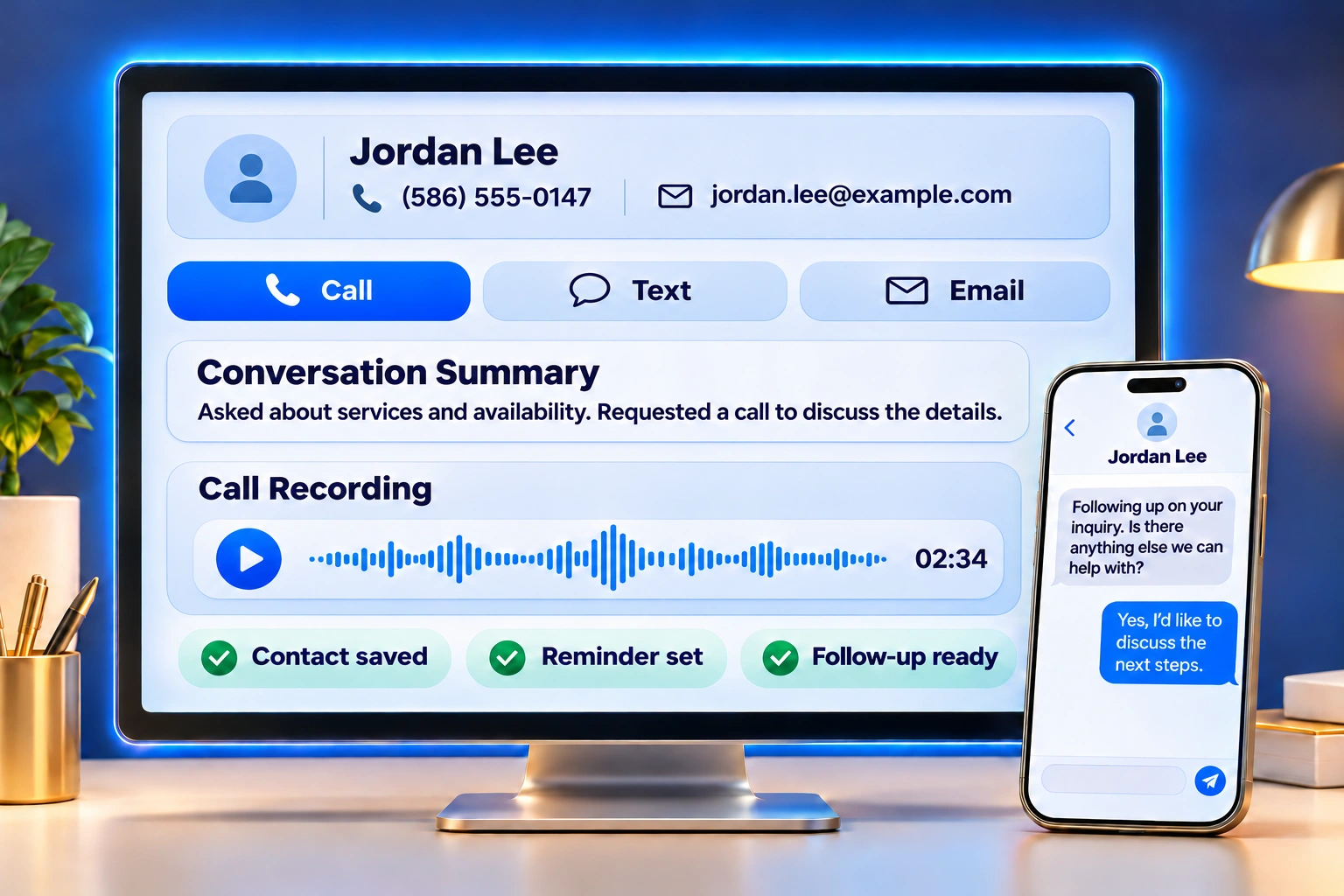
Find customer details and conversation history without digging through notes and messages.
Keep the next step visible so inquiries don’t depend on your memory.
Collect information and send timely reminders without doing everything by hand.
You don’t need to replace working software to get help. We look at what you have, what you need, and where the repetitive work happens.
Choose the tools and automations that solve a real problem in your day.
Keep contact details, notes, and connected conversations together so you can pick up where you left off.
See where each opportunity stands, keep the next step visible, and spot inquiries that need attention.
Capture customer details, send an acknowledgment, and create the next follow-up task automatically.
Connect scheduling and send appointment confirmations or reminders based on the rules you choose.
Follow up after completed service with a review request, making it easier for customers to share their experience.
Reconnect with past customers through new services, offers, specials, or important updates such as a location change.
A sales pipeline is a visual way to track inquiries from first contact to a closed sale. See who needs a response, what happens next, and where opportunities have stalled.
Customer requested a consultation.
Next: Make first contactNeeds discussed. Details saved.
Next: Confirm the next stepCustomer is considering their options.
Next: Follow up tomorrowReady for the next step in your process.
Assign the next action to yourself or someone on your team.
Set reminders or automated messages around the stages you choose.
Identify stalled inquiries and keep track of won and lost opportunities.
Start with the tasks that take up your time—not a long list of software features.
It’s a place to keep customer details, notes, conversations, and follow-up organized. You may hear it called a CRM. The goal is simple: know who you’re helping, what they need, and what happens next.
No. We can review your current system first. If it supports the improvements you need, we can work within it. If a connection or feature is unavailable, we explain the options before making changes.
Yes. You can start with intake, appointment reminders, follow-up, or another specific task. Marketing and AI voice services are separate options—not requirements.
Yes. We can help organize customer groups and set up relevant offers, service announcements, and business updates. Messages are configured around appropriate contact permissions and unsubscribe preferences.
We review the available integrations and permissions before confirming what can connect. Some systems support direct connections; others may need an additional integration or a manual step.
We test triggers, customer records, messages, timing, and handoffs before launch. We also show you how the setup works and discuss any ongoing monitoring or support as part of the scope.
Tell us where information gets scattered or admin eats into your day. We’ll discuss your current tools, the right services, and the scope and costs.
Get Started Or call (586) 400-2943